Connection Issues
Troubleshoot connection problems
Common connection issues and how to resolve them.
Error Reference
| Error | Cause | Solution |
|---|---|---|
| Connection refused | Server not running | Start the database server |
| Connection refused - IPv4 | Supabase direct on IPv4 | Use Session Pooler (port 6543) |
| Authentication failed | Wrong credentials | Verify username/password |
| SSL connection error | TLS handshake failed | Use Session Pooler for Supabase |
| Connection timed out | Network/firewall issue | Check firewall, try Session Pooler |
| Database not found | Database doesn't exist | Verify database name |
| Permission denied | User lacks privileges | Grant appropriate permissions |
Supabase Connection Tips
IPv4 Networks: If you're on an IPv4 network and getting connection refused errors, use the Session Pooler (port 6543) instead of the direct connection (port 5432).
Diagnostic Logs
QuackDB includes a Logs Tab for troubleshooting:
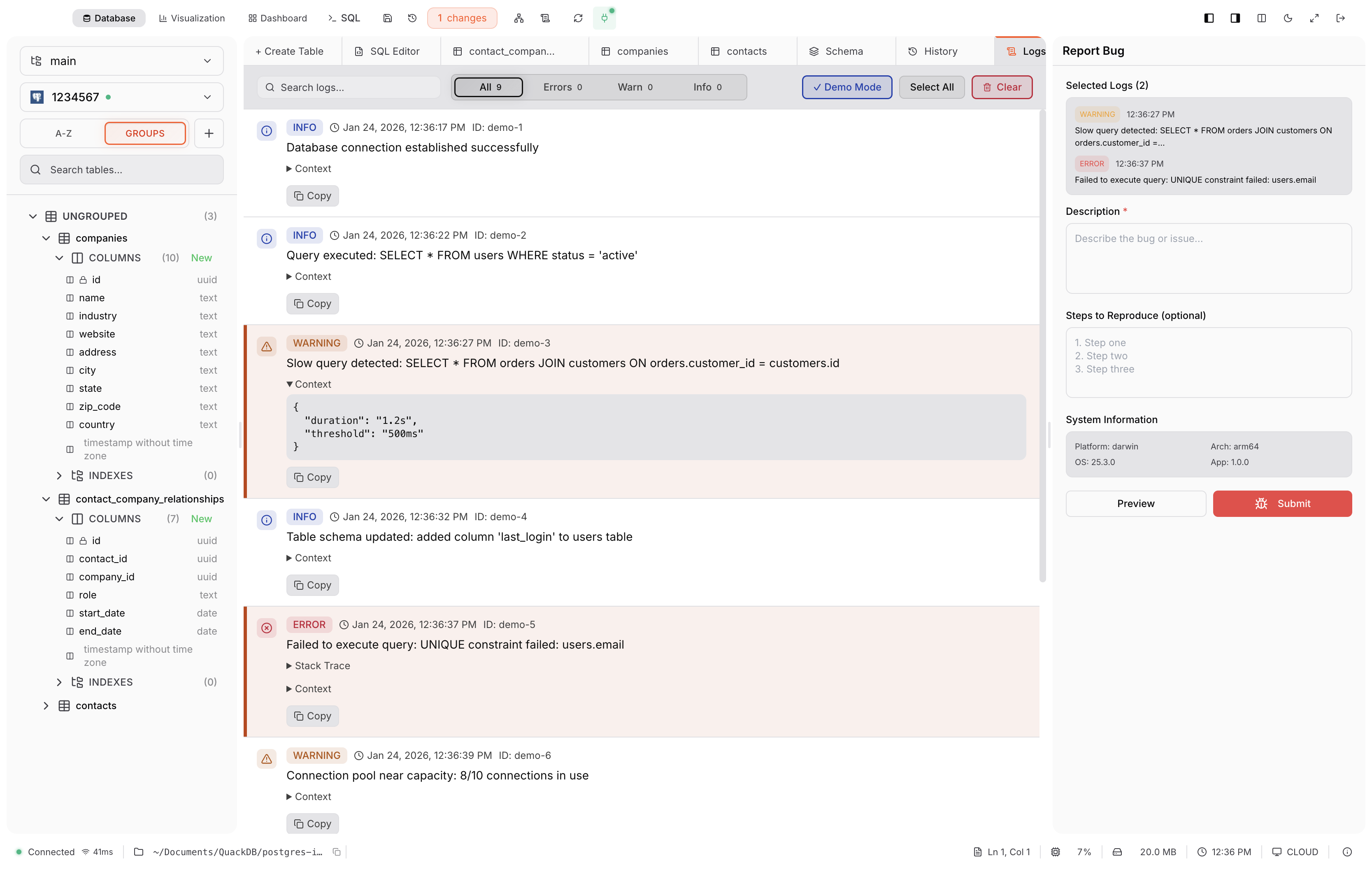
Real-time log updates
Filter by level: Info, Warning, Error
Search and export logs