SQL editor features in QuackDB 1.0
The editing features of the QuackDB 1.0 SQL editor, which is built on the Monaco editor.
QuackDB's SQL editor is powered by Monaco Editor (the same engine as VS Code), providing a professional code editing experience.
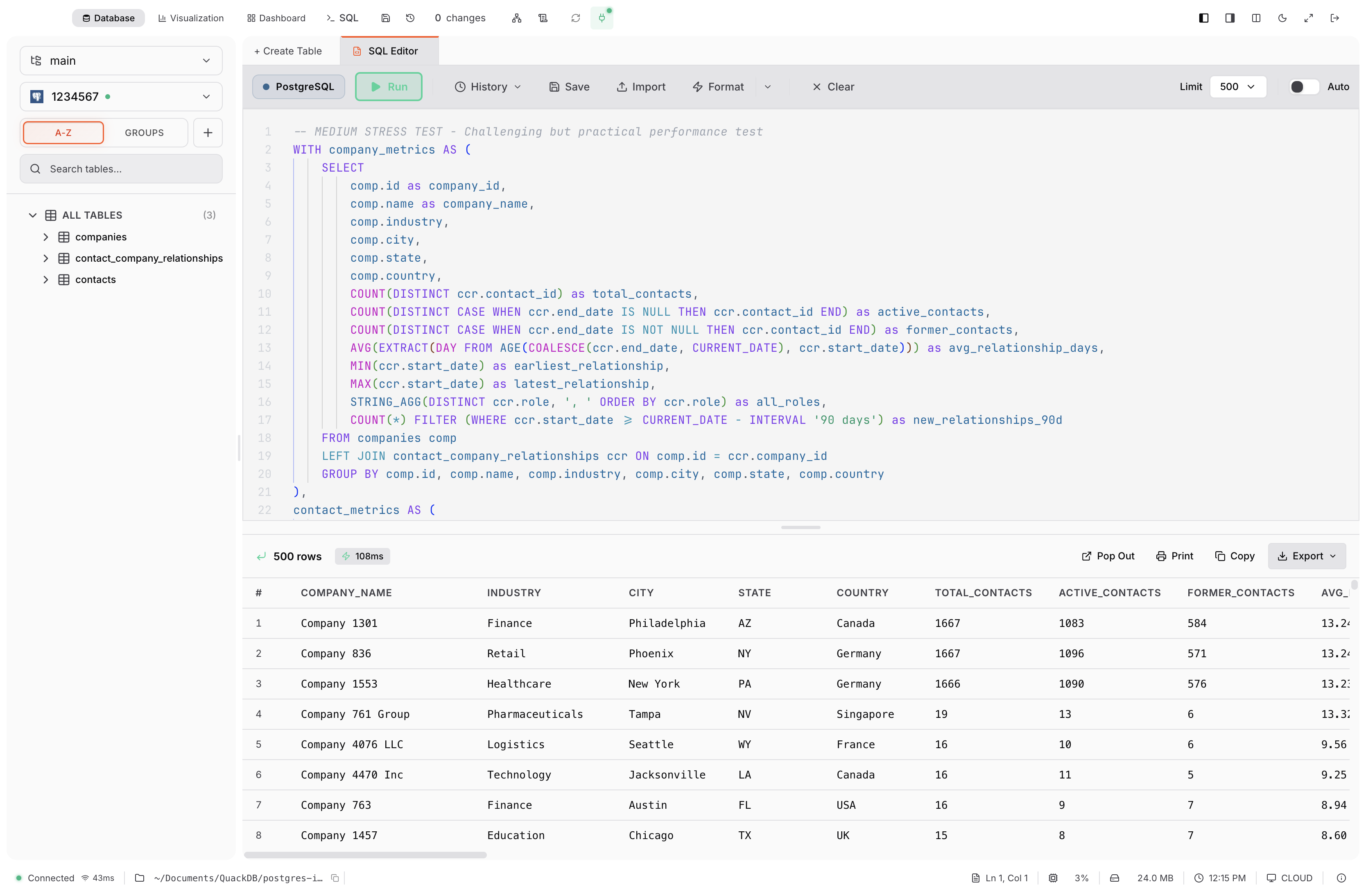
Editor Features
| Feature | Description |
|---|---|
| Syntax Highlighting | SQL keywords, strings, numbers, comments |
| Auto-Complete | Tables, columns, SQL keywords |
| Error Highlighting | Invalid syntax underlined |
| Line Numbers | Optional display |
| Minimap | Code overview on right |
| Bracket Matching | Highlight matching brackets |
| Multiple Cursors | Edit multiple lines at once |
Execution Options
Run
Execute and display results
Run Selected
Execute highlighted text only
Explain
Show query execution plan
Format
Auto-format SQL