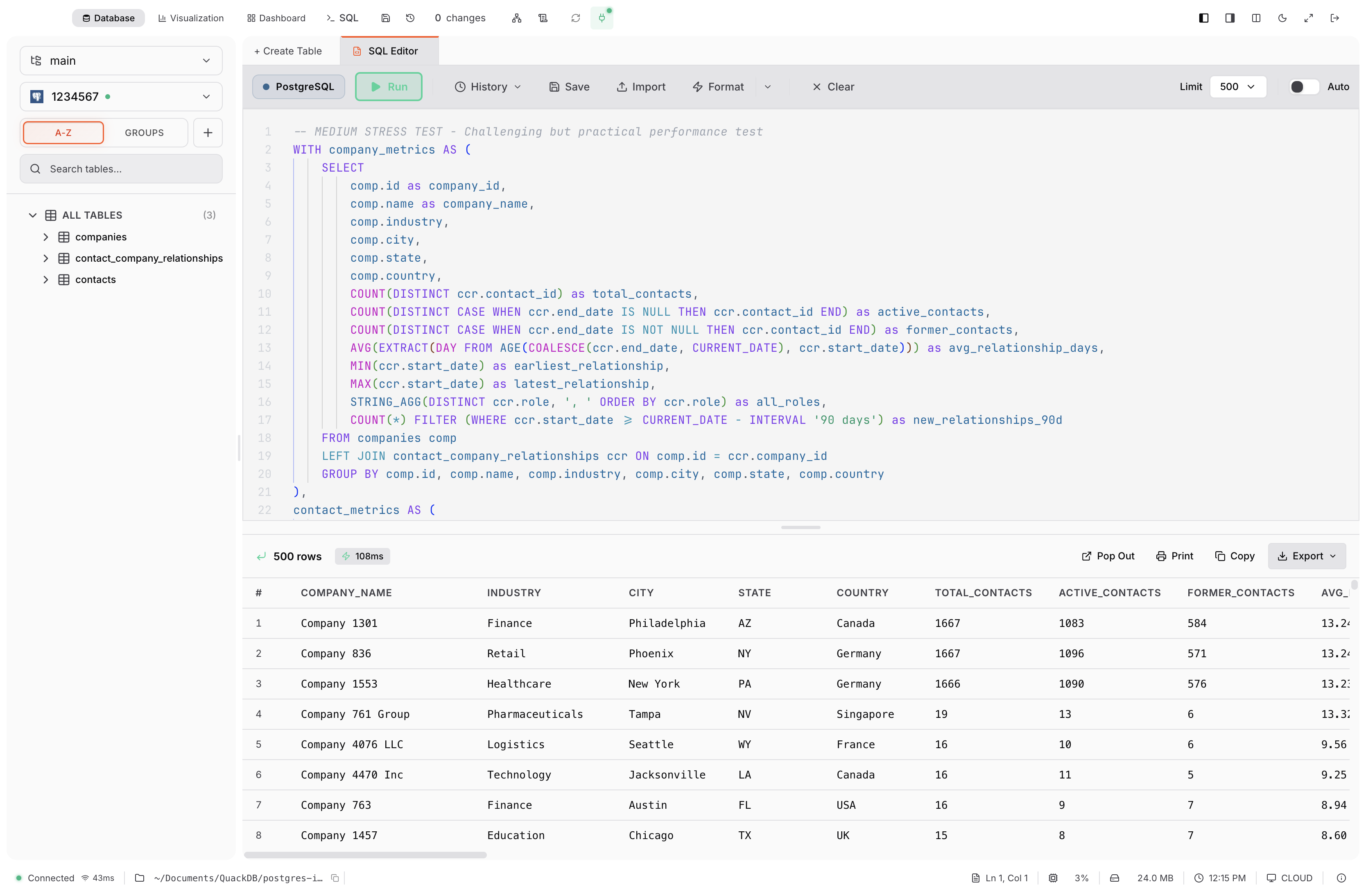
QuackDB: a native SQL client for Mac
QuackDB is a native Mac database client that brings SQLite, PostgreSQL, MySQL, SQL Server and Supabase into one workspace, with a SQL editor, a data grid and a schema diagram.
SQL editor for Mac
Write a query, run it and read the results on the same screen. QuackDB remembers the queries you have run, lets you save the ones worth keeping and formats SQL so it stays readable.
Data grid and SQL file viewer
Open a SQLite file (.db, .sqlite, .sqlite3) or a table on a server, filter and sort it, and edit values in place. Import and export CSV, TXT, JSON or SQL.
Commit and undo changes
Edits are collected as pending changes that you review and commit with a message. Each commit is recorded in the change history, and a committed change can be undone from there.
Schema diagram
See how tables connect, drawn from the foreign keys already in your database, and open a table or add a column from the diagram.
Get QuackDB
The native version, QuackDB for Mac, is now available on the Mac App Store, where plans are managed with your Apple Account. QuackDB 1.0, the previous version for Mac, is free to download now.
See how to get QuackDB · Previous version, free