Browse table data in the QuackDB 1.0 data grid
Browse tables in the QuackDB 1.0 data grid, sort rows and work with large result sets.
The data grid provides a fast, spreadsheet-like view of your query results or table data. It uses virtualization (TanStack Virtual) for smooth scrolling with large datasets.
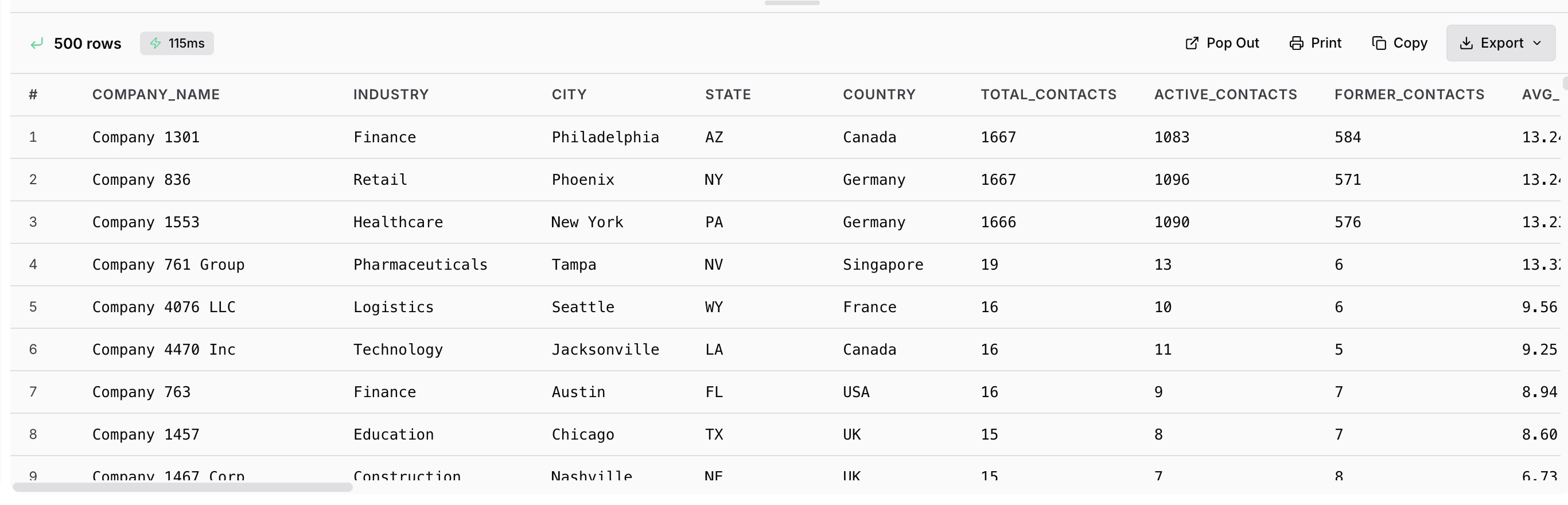
Performance
| Setting | Options | Default |
|---|---|---|
| Max Rows per Query | 100, 500, 1000, 5000, 10000 | 1000 |
Performance Tip: QuackDB efficiently handles result sets up to 10,000 rows with virtualized scrolling. For larger datasets, use LIMIT or pagination.
Display Features
| Feature | Description |
|---|---|
| Pagination | Navigate large datasets efficiently |
| Sorting | Click column header to sort |
| Column Resize | Drag column borders |
| Column Reorder | Drag column headers |
| Cell Selection | Click to select, Shift+Click for range |
| Copy | Copy selected cells to clipboard |
Data Type Display
| Type | Display |
|---|---|
| String | Plain text |
| Number | Formatted number |
| Boolean | true/false |
| Date | ISO format |
| JSON | Formatted JSON |
| NULL | "NULL" (configurable) |
| BLOB | [BLOB data] |