Sign in, start the trial and manage your subscription
How accounts and the Apple subscription work in QuackDB for Mac. Start the trial, restore a purchase and manage renewal.
QuackDB for Mac is sold through the Mac App Store. Purchases, renewals and cancellations are handled by Apple with your Apple ID, not by this website.
How access works
| Stage | What happens |
|---|---|
| Trial | A 3-day trial includes the full workspace: the schema diagram, the SQL editor, notebooks and Python charts. |
| After the trial | The workspace continues as a monthly subscription through your Apple ID until you cancel. The monthly price is shown in the app and in the App Store. |
| No subscription | There is no continuing free plan. Without an active trial or subscription, QuackDB asks you to start the trial or subscribe to open the workspace. |
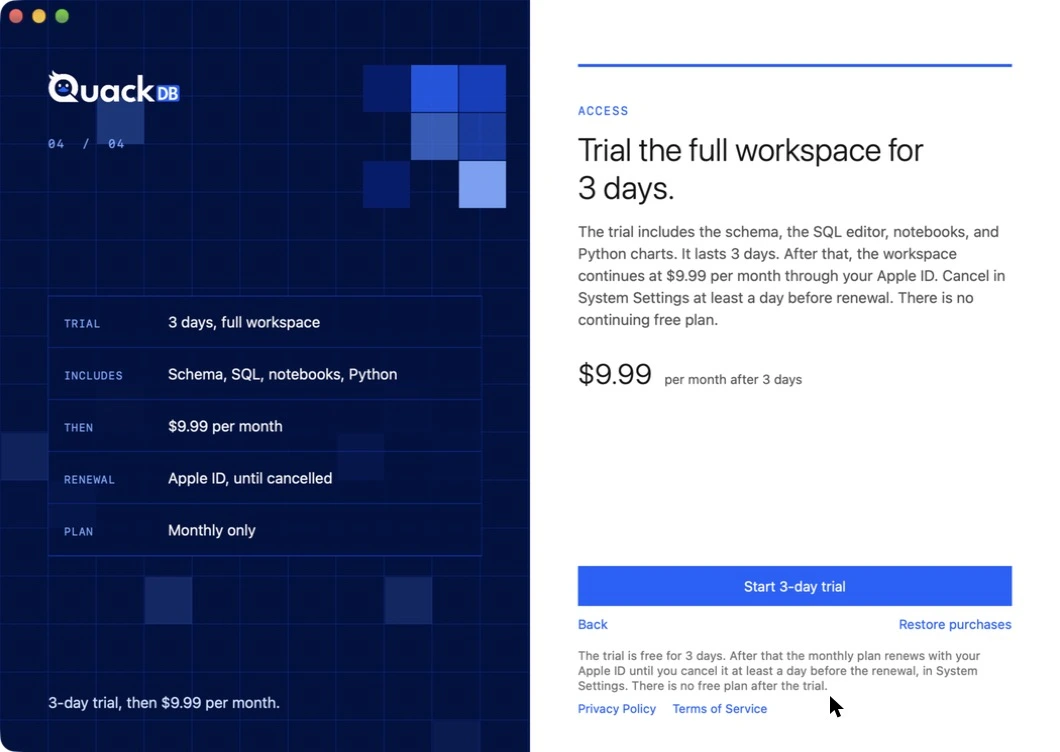
Start the trial or restore a purchase
- 01On the access page, choose Start 3-day trial and confirm with your Apple ID.
- 02If you already subscribed on another Mac, choose Restore purchases.
Cancel
Cancel in System Settings at least a day before the renewal date. See the cancellation steps on your account page.
Signing in
Signing in with a QuackDB account is optional. It links your subscription and saved connections to the account. On the first screen choose Google, Apple or email, or Continue without signing in. The Account item in the Recent Connections menu shows your plan and what it includes.
Looking for QuackDB 1.0?
The previous version is free and has no subscription. See the previous version page.