Outages
A delayed worker overwrote a newer plan, and a region lost its DNS record
Three redundant workers, one slow retry and a clean-up job. Read AWS's own account, then rebuild the failure on a table you control.
Published 10 min read
Jump to the version check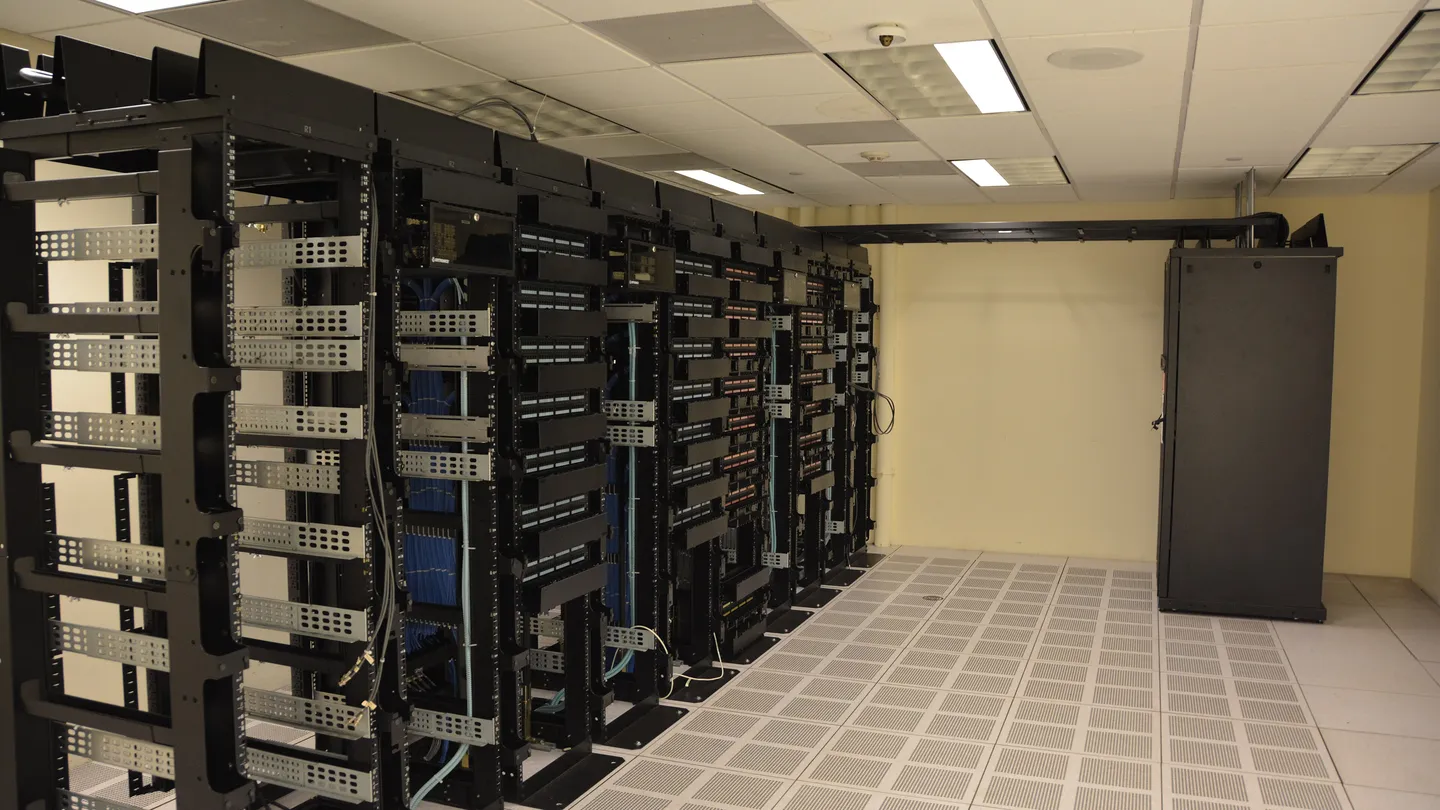
Photo: Datacenter Server Racks, Carl Lender from Sunrise, USA, CC BY 2.0, via Wikimedia Commons.
On the night of 19 October 2025, applications that depend on Amazon DynamoDB in AWS's US-EAST-1 region began to fail. AWS's post-event summary says the first symptom was that systems could not resolve the regional DynamoDB endpoint through DNS. It started at 11:48 PM Pacific on 19 October. By 2:40 AM on 20 October the main DynamoDB disruption was over, but other services took until the afternoon to recover.
AWS traced the DynamoDB failure to what it calls a latent race condition in its DNS management system. That phrase can sound abstract. The summary is concrete enough to follow step by step, and the failure pattern is one any database developer can recreate with two writers and a table.
Two components and a clean-up job
AWS describes two pieces of automation. The DNS Planner watches the health and capacity of load balancers and periodically produces a DNS plan for each endpoint: a list of load balancers and weights. The DNS Enactor applies plans by making changes in Amazon Route 53. Three independent Enactors run in different Availability Zones for redundancy. Each checks for a newer plan than the one in place and, if there is one, replaces the current plan.
Redundancy is a good idea, and it means two Enactors can be working at the same time. The design relies on a check that the plan being applied is newer than the one in place. After an Enactor applies a plan it also runs a clean-up that deletes plans significantly older than the one just applied.
The race, in order
- 01An Enactor is delayedOne Enactor was unusually slow, retrying updates on several endpoints. All the while, the Planner kept producing newer plans.
- 02A second Enactor finishes quicklyIt applied the newest plan across all the endpoints, then started its clean-up of plans well older than the one it had applied.
- 03The slow Enactor catches upIt applied its much older plan to the regional endpoint, overwriting the newer one. The check it had run at the start was stale by then because of its own delays.
- 04The clean-up deletes the active planThe second Enactor's clean-up saw the old plan, now in place, as many generations behind and deleted it.
- 05The record is emptyDeleting the active plan removed all IP addresses for the regional endpoint, leaving an empty DNS record that the automation did not repair.
The summary adds that the system was left unable to accept later plan updates, so engineers had to intervene by hand. Engineers identified DynamoDB's DNS state as the source by 12:38 AM, and AWS reports that all DNS information was restored by 2:25 AM.
The wider disruption
The DNS fix did not end the event. DynamoDB sits underneath other AWS services, and recovery of those took longer.
| Area | Window (Pacific) | What AWS reports |
|---|---|---|
| DynamoDB | 19 Oct 11:48 PM to 20 Oct 2:40 AM | DNS failures for the regional endpoint; all DNS restored by 2:25 AM; global tables replicas caught up by 2:32 AM. |
| EC2 | 19 Oct 11:48 PM to 20 Oct 1:50 PM | Higher API errors and latencies, and failures launching new instances. Existing instances were not affected. |
| Network Load Balancer | 20 Oct 5:30 AM to 2:09 PM | More connection errors on some load balancers because health checks were failing. |
For EC2, AWS says a component called DWFM manages leases on the underlying physical servers it calls droplets. When DynamoDB went down, state checks failed and leases timed out. After DynamoDB recovered, re-establishing the leases took so long that the system entered what AWS calls congestive collapse, and engineers throttled incoming work and restarted DWFM hosts to clear queues. A second component, Network Manager, then had a backlog of network configuration to propagate, so for a while new instances launched without network connectivity.
Those delays caused the load balancer problem. Health checks failed on healthy nodes because new instances came into service before their network state had fully propagated. Nodes flipped in and out of DNS, the extra load degraded the health-check system, and automatic failover took capacity out of service. AWS disabled automatic health-check failover for the load balancers at 9:36 AM and re-enabled it at 2:09 PM.
The pattern: a decision based on stale information
Strip away the names and the failure has a simple shape. A worker reads the state of the world, decides that its action is safe, and then waits. When it acts, the world has changed, and the earlier decision is no longer valid. AWS says this directly: the recency check the delayed Enactor ran was stale by the time it applied its plan.
This is the classic time-of-check to time-of-use problem. It appears in databases whenever code reads a row, thinks, and writes back. Another transaction can change the row in between.
Reproduce it on a table
This SQLite example models the pattern with a single row. Two writers read version 1. Writer 1 saves a good change. Writer 2, working from the same old read, saves an empty list on top of it.
CREATE TABLE endpoint_config (
  id INTEGER PRIMARY KEY,
  records TEXT NOT NULL,
  version INTEGER NOT NULL
);
INSERT INTO endpoint_config VALUES (1, 'a,b,c', 1);

-- Both writers read: records = 'a,b,c', version = 1

-- Writer 1 saves
UPDATE endpoint_config SET records = 'a,b' WHERE id = 1;

-- Writer 2 saves later, from its stale read
UPDATE endpoint_config SET records = '' WHERE id = 1;

SELECT * FROM endpoint_config;  -- (1, '', 1): the newer change is gone
Nothing failed. Both statements succeeded and the database ended up in the state the later writer chose, regardless of what it had seen.
Make the write prove it is current
The fix is to make each write state which version it was based on, and to apply it only if that version is still current. A changed-row count of zero means the writer lost.
-- Writer 1 read version 1.
UPDATE endpoint_config
SET records = 'a,b', version = version + 1
WHERE id = 1 AND version = 1;   -- 1 row changed

-- Writer 2 also read version 1, but later.
UPDATE endpoint_config
SET records = '', version = version + 1
WHERE id = 1 AND version = 1;   -- 0 rows changed: the write is refused
The application must check the row count. Zero means: re-read, recompute and decide again, or stop. If code ignores the count, the guard is decoration. In PostgreSQL the same pattern works, and so does locking the row first with SELECT ... FOR UPDATE. Which you choose depends on how long the decision takes. Holding a lock while thinking blocks everyone else; a version check lets writers proceed and rejects only the stale one.
Refuse the state that must never exist
The catastrophic part was not the stale write. It was that the system could reach a state with no addresses at all for a live endpoint, and that automation could not repair it. A database can refuse certain states outright. If a record set must never be empty, say so.
CREATE TABLE endpoint_config (
  id INTEGER PRIMARY KEY,
  records TEXT NOT NULL CHECK (length(trim(records)) > 0),
  version INTEGER NOT NULL
);

UPDATE endpoint_config SET records = '' WHERE id = 1;
-- Error: CHECK constraint failed: length(trim(records)) > 0
A rule like this turns a silent outage into a loud, local error at the moment of the bad write. The person or job that made the mistake finds out immediately, instead of the whole system discovering it later.
Be careful what a clean-up job may delete
The last step of the race was a clean-up deleting a plan that had, by then, become the live one. A garbage-collection job should never be able to remove something that is still referenced. Foreign keys can enforce that.
PRAGMA foreign_keys = ON;

CREATE TABLE plan (id INTEGER PRIMARY KEY, generation INTEGER NOT NULL);
CREATE TABLE endpoint (
  id INTEGER PRIMARY KEY,
  active_plan_id INTEGER NOT NULL REFERENCES plan(id) ON DELETE RESTRICT
);

INSERT INTO plan VALUES (1, 1), (2, 2);
INSERT INTO endpoint VALUES (1, 1);

DELETE FROM plan WHERE generation < 2;
-- Error: FOREIGN KEY constraint failed (plan 1 is still the active plan)
With ON DELETE RESTRICT, the clean-up fails on the plan that is in use, which is the behaviour you want from a job that cannot see the whole picture.
What AWS changed
- It disabled the DNS Planner and DNS Enactor automation worldwide, saying it would fix the race condition and add protections against incorrect plans before turning it back on.
- For load balancers, it planned a velocity control to limit how much capacity a single load balancer can remove when health checks fail.
- For EC2, it planned a new test suite for the DWFM recovery workflow, and throttling of incoming work based on queue size.
Note the mix: fix the specific bug, limit how fast any one component can cause damage, and test the recovery path, not just the normal path. The recovery of DWFM went into congestive collapse because it had never been stressed in that state. A backup you have not restored is the same problem; see the restore test article.
A checklist for your own systems
- Find every place where code reads a value, decides, and writes later. Add a version or timestamp to the write.
- Check the row count of every conditional update.
- Write down states that must never occur, such as an empty set or a negative balance, and enforce them with constraints.
- Give clean-up jobs the least power: foreign keys, soft deletes and a delay before real deletion.
- Rehearse recovery under load, not only startup from a clean state.
- Limit how much any single automation can remove in one go.
Leases and fencing: only the current holder may write
One way to stop a slow worker acting on an old decision is a lease. A worker holds a named lease for a short time, and the lease carries a token that increases each time the lease changes hands. Writes carry the token, and a write with an old token is refused. This SQLite sketch shows the acquire step; it was run, and the first attempt fails because the lease has not expired.
CREATE TABLE lease (
  name TEXT PRIMARY KEY,
  holder TEXT NOT NULL,
  token INTEGER NOT NULL,
  expires_at INTEGER NOT NULL
);
INSERT INTO lease VALUES ('planner-lock', 'worker-a', 1, 100);

-- worker-b tries at time 50: lease still held, 0 rows changed
-- worker-b tries at time 150: lease expired, 1 row changed, token is now 2
UPDATE lease
SET holder = 'worker-b', token = token + 1, expires_at = :now + 60
WHERE name = 'planner-lock'
  AND (expires_at <= :now OR holder = 'worker-b');
A write by the old holder, which still thinks it has token 1, can then be refused by checking the token in the same statement as the write. This is called fencing. It would help in the scenario AWS describes: an Enactor that was delayed could have been fenced out by the arrival of a newer plan.
Make repeated work harmless
Retries are essential in distributed systems, and they are how the delayed Enactor ended up applying an old plan late. Writes that are safe to repeat reduce the risk. A unique key makes a second application of the same plan do nothing. This was run:
CREATE TABLE applied (plan_id INTEGER PRIMARY KEY, applied_by TEXT);

INSERT INTO applied VALUES (7, 'a') ON CONFLICT (plan_id) DO NOTHING;  -- 1 row
INSERT INTO applied VALUES (7, 'b') ON CONFLICT (plan_id) DO NOTHING;  -- 0 rows
Idempotence does not fix a stale write, because plan 6 applied after plan 7 is still an old plan. It does keep ordinary retries from doing damage, and it makes your logs easier to reason about.
Never let the version go backwards
In AWS's account, the older plan overwrote the newer one. A rule that the stored version may only increase makes that impossible at the database. In PostgreSQL, a trigger or a conditional update can refuse a lower number. The conditional form is simplest:
UPDATE endpoint_plan
SET plan_id = :new_id, body = :body
WHERE endpoint = :endpoint
  AND plan_id < :new_id;   -- only move forward
-- 0 rows changed means a newer plan is already in place; do nothing.
This is the same idea as the version column earlier, used for ordering instead of equality. Choose equality when you want to be sure nobody changed anything since your read, and a forward-only rule when any newer state is acceptable.
Recovery has its own failure modes
The longest part of the event was not the DNS fix. AWS reports that after DynamoDB recovered, the EC2 system that manages leases on physical servers entered what it calls congestive collapse. Re-establishing leases took longer than the leases lasted, so work kept timing out and starting again. AWS cleared it by throttling incoming work and restarting hosts.
Database systems see small versions of this: after an outage, every client reconnects and retries at once, and the database falls over under the stampede. The same remedies apply.
- Retry with exponential backoff and random jitter, so clients do not retry in lockstep.
- Limit connections with a pool, so a recovering database is not asked for more than it can serve.
- Shed load deliberately, by refusing some requests quickly instead of failing all of them slowly.
- Throttle batch jobs and background work during recovery, and restart them gradually.
- Test recovery from a cold start under load, not only the happy path.
Detect the impossible state quickly
An endpoint with no records is not a subtle failure. A simple periodic query would catch it within seconds. Think of your own equivalents: a tenant with no admin, an order with no lines, a configuration with no active version. Query for them on a schedule, and alert.
-- Orders with no line items
SELECT o.id
FROM orders o
LEFT JOIN order_lines l ON l.order_id = o.id
WHERE l.order_id IS NULL;

-- Endpoints with no active record
SELECT e.id FROM endpoint e
LEFT JOIN endpoint_record r ON r.endpoint_id = e.id AND r.active = 1
WHERE r.endpoint_id IS NULL;
These checks run in milliseconds on an indexed table. They are the cheapest form of monitoring: a question you already know the answer should be "none".
Questions that come up
- Was this an attack?
- AWS's summary describes a latent race condition in its own DNS management automation, not an attack.
- Why not just lock the row?
- Locks work but can hold up other work, and a lock does not help if the lock holder is the slow one. A version check lets writers proceed and rejects only the stale one.
- Does PostgreSQL protect me automatically?
- Only partly. The default isolation level prevents some anomalies but not a lost update where each writer overwrites with a computed value. Use a conditional update,
SELECT ... FOR UPDATEor a stricter isolation level. - What is a latent race condition?
- A bug that exists in the code but only appears when timing lines up in a rare way. It can run without trouble for a long time.